I Tried Out AncestryPreserve and This is How it Went
Note: I was not asked to do this, I didn’t receive any compensation to do this. It’s just my own money, trying out this process and seeing how it went. I expect nothing in return for writing this review.
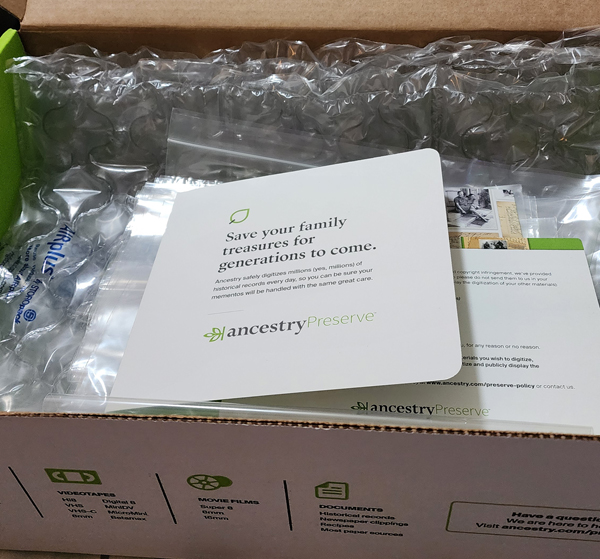
The initial kit was $20 when I purchased it. It comes with a variety of plastic bags and some bubble wrap to protect your items. The instructions were simple. Just pack up your items and send them back in the box provided. You are free to put an AirTag or comparable device in the box for added reassurance. I didn’t feel the need for that, but I can understand if some do, it’s a big practice in trust to send such valuable items.
The box you are sent to send back has the tracking number that you are able to track the box back to Ancestry and they give you a tracking number as soon as your items ship back. An AirTag would provide extra comfort to keep a 24/7 eye on your items.
Lets Get Started
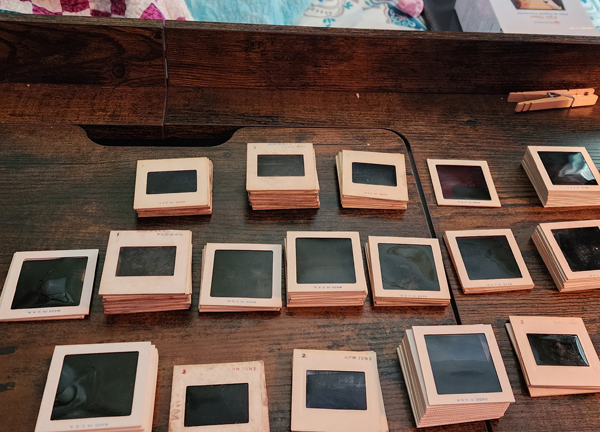
I started to sort my slides and that was a task to say the least. There is a very faint date on most of the slides edges. This isn’t going to be when they were taken in most cases, but when it was processed or “developed.” It gives me a general timeline in any case. The next problem I have, is that I have to decide if I’m just sending them all or if I’m going to send a smaller batch of the better images.
The thing about the slides is they start with William and Llewellyn’s vacations and parties. They evolve to my Grandpa Moore and his second wife’s vacations and parties. I’ve digitized most of these slides once already using the Wolverine F2D Digital Converter. I’ve noticed though, these slide scanners don’t always get the whole image. My goal was to make sure I have high quality scans of William and Llewellyn’s group photos so I can possibly identify more people in them.
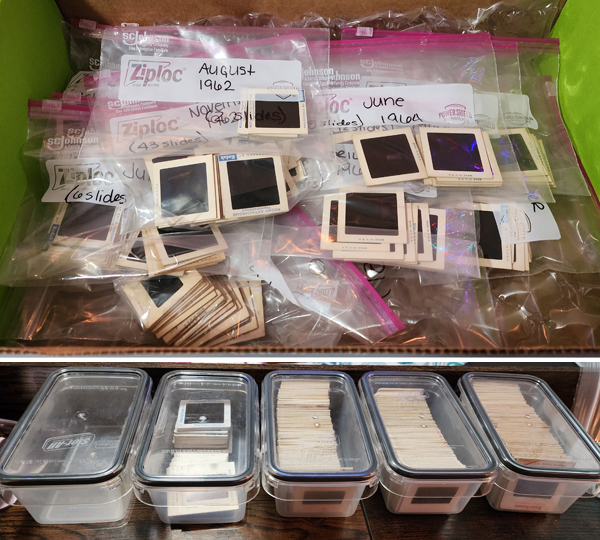
It took some time to figure out which ones I wanted to send and which I didn’t. Once I did I put them in ziploc bags to send them in the box. For reference, the usual storage boxes for the slides is in the bottom portion of the picture. I didn’t even send half but my count was 190 slides sent for digitization. The price per photo is 49 cents. Once I was sure that was all I wanted to send, I closed up the box and dropped it off at a UPS store to get it back to Ancestry and I waited.
In the timeframe of this whole process, I started having some computer issues. Looks like a new computer is in store for me soon. Which isn’t bad since my last one was purchased in September of 2013. 😂 The computer issues had me tracking my order on my phone, so that’s why there aren’t any computer screenshots, just ones from my phone.
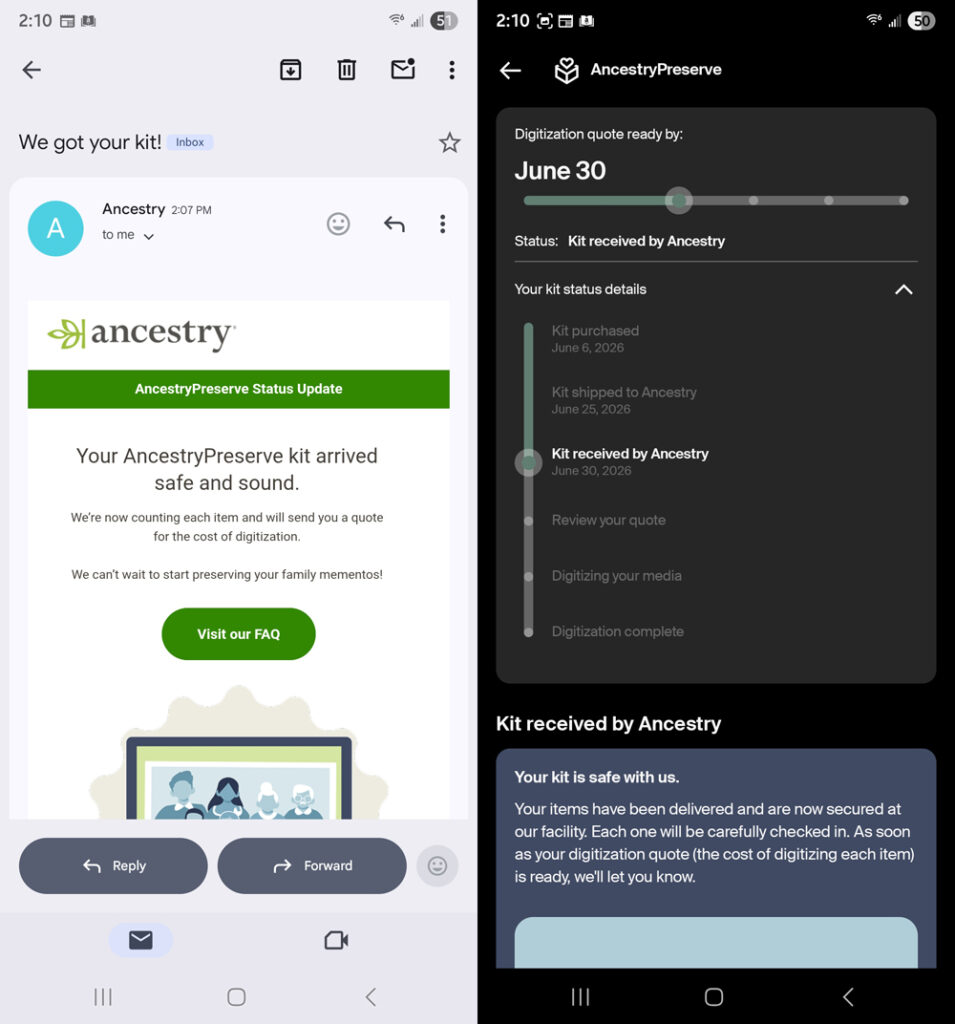
I was notified by email and in the Ancestry app that my kit had arrived and that my quote would be ready soon. July 1st, I was scheduled to leave for a week long visit to Ohio. The morning of the 1st, my quote came in and I missed getting a screenshot of it. 😂 This is what happens when you check your email at 6am.
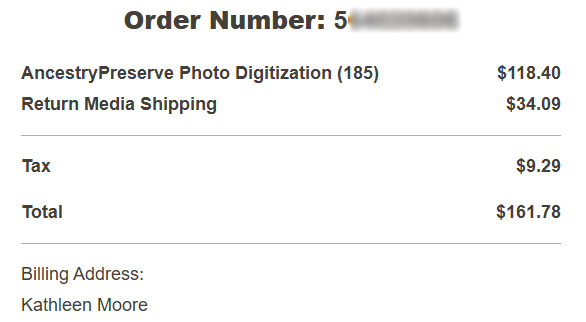
There were 5 slides not in the quote, I’m not sure why, but we will revisit that in the end. I opted for the AI-enhancement. Since I’ve digitized the slides already before, I wanted to see how much the enhancement would do for the slides. I didn’t get a screenshot of how much the enhancement added but if you divide $118.40 by 185 you get 64 cents. So about 15 cents per slide for enhancement. I will say the pricing I am talking about is just for photos. Film and Audio have their own pricing! Be sure to not blurry eye accept your quote at 6am without being sure of what you are reading. 😂
Then all I could do was wait… but not long.
The Results
I was sitting on my cousin’s couch the next day, checking my emails for the first time since I left home, and I had already received notice that my digitization was complete! When I logged into my email to check the timing, On July 1st at 6am, I finalized the quote. By 3:30pm the same day, my files were ready to view! Wow!
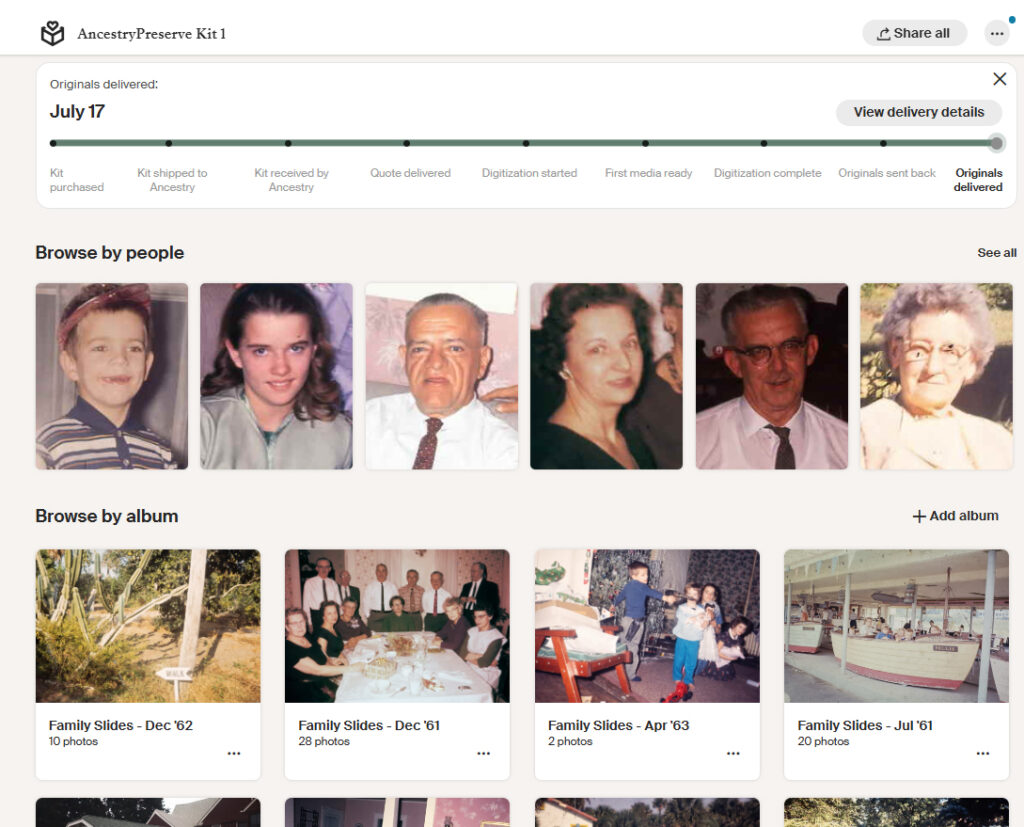
I was able to get a screenshot on my laptop now that I’m home. The albums were created by the organization I setup with my ziploc bags. They told you when you received the box that they aren’t able to put things in order for you, but they can keep the organization you set up by using albums. I would suggest putting some thought into that if you are sending a bunch of items like this.
One Downside
One thing I am currently having problems with, is tagging people in the photos. Sometimes it works, sometimes it doesn’t. I’ve tried on my phone in the app, and I tried on my laptop. Before this project, I didn’t do a lot of work in the galleries. Usually one photo at a time uploaded to someone’s profile. I noticed it will let me tag people in general in the photo, but it’s not recognizing when I try to use the Who is this person? that pops up for facial recognition.
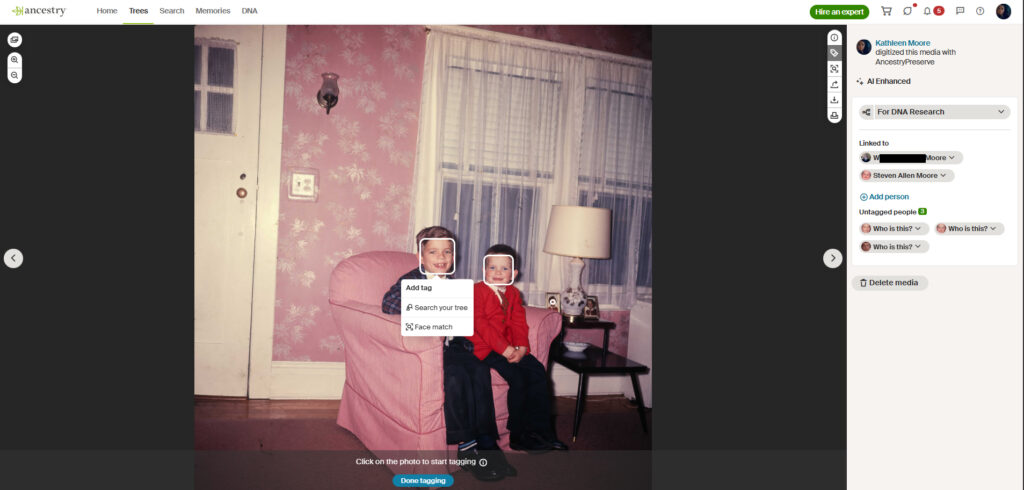
For example, on this picture of my father and his brother, Stevie, I used the Who is This? to tag them in the photos. However, it does not recognize that I’ve already identified them, but they are tagged in the photo. Just today, I untagged them and tried using the Who is This again and that worked. So maybe its a glitch that has been worked out now. Also, you might notice, it’s also picking up their sister’s face in a photo on the side table. 😂
That’s the only slight complaint I have so far. It’s not that big of a deal for me right now because I haven’t really been trying that hard to tag people yet and it does work for me eventually.
The Difference between Wolverine F2D and AncestryPreserve
I’m sure you are all wondering what kind of difference there is between a slide scanned with the Wolverine Converter and having Ancestry scan them. Great news is I have 185 examples! I won’t show you all of them obviously, but I will show some that I’m super happy about! I should also say there are tools on the Wolverine converter to adjust the images but I never felt comfortable enough to use them. I don’t believe those tools would have made these kind of differences though, just the coloring and contrast/highlights/shadows adjustments you see on most basic photo editing softwares.
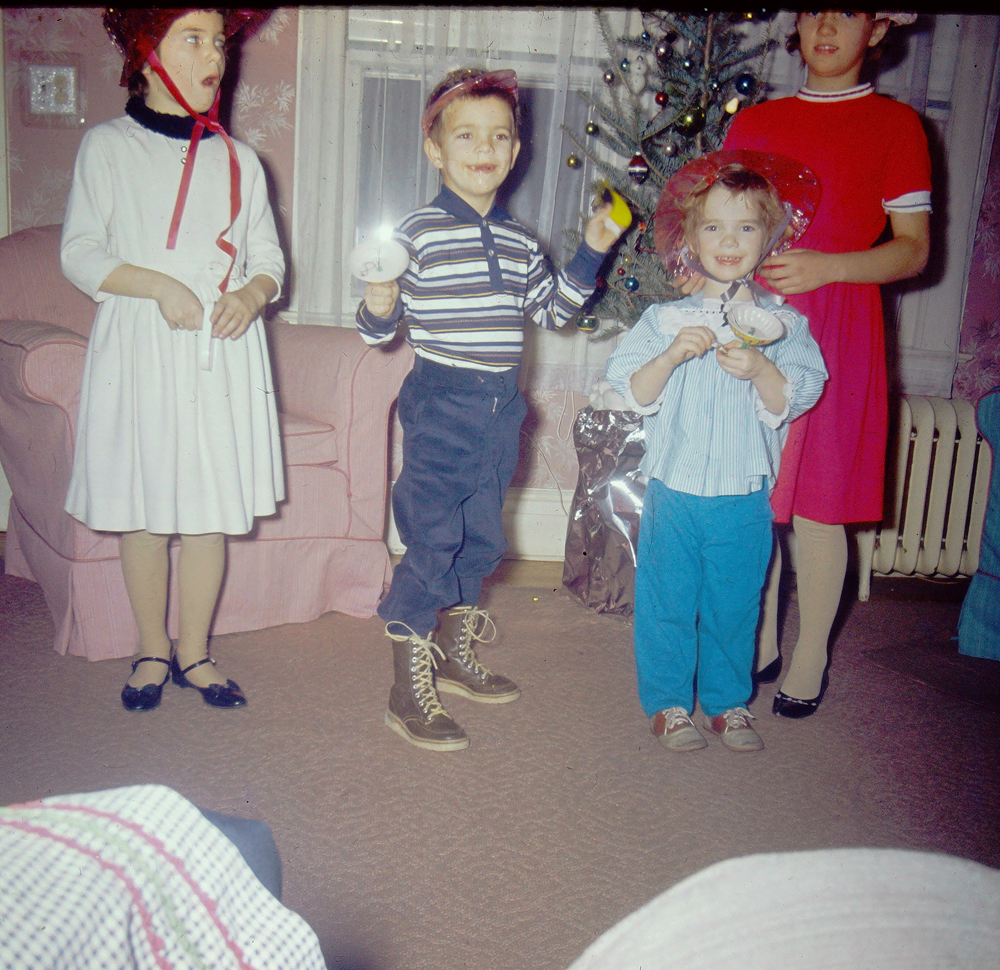
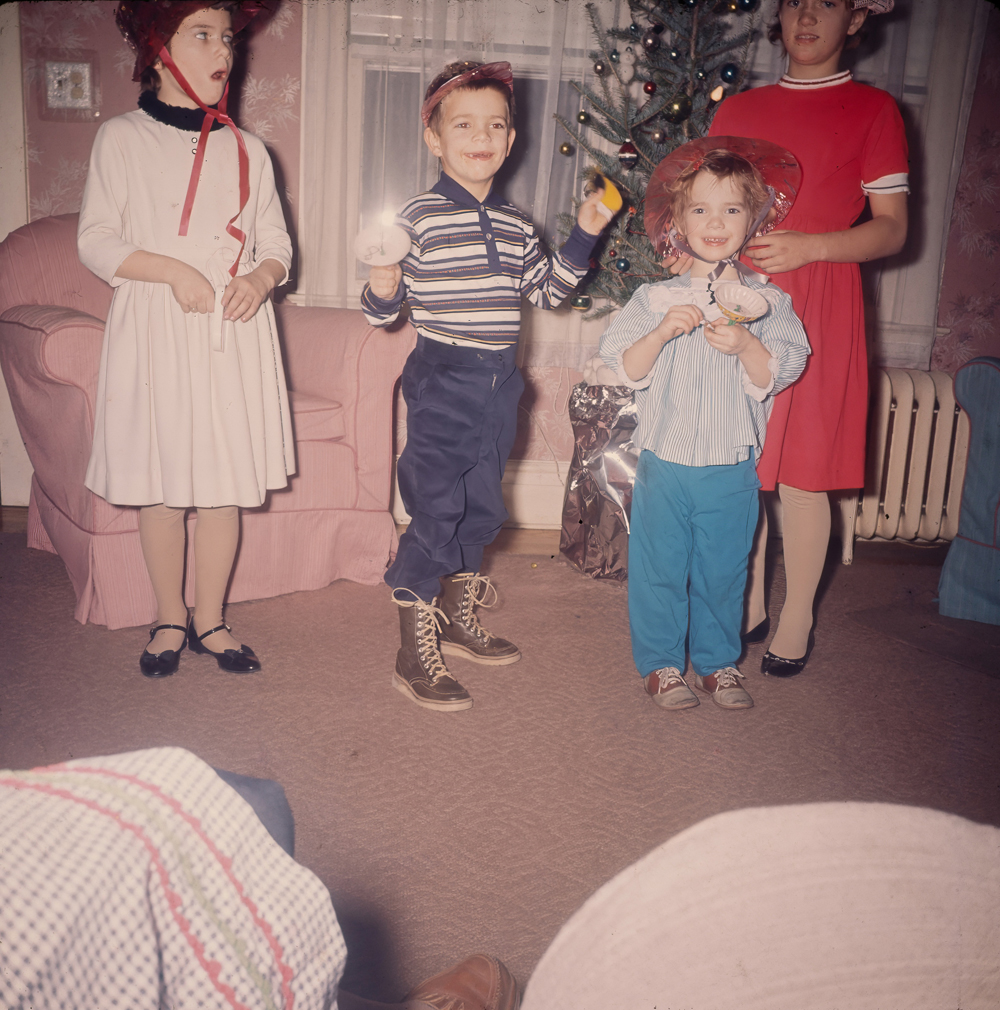
This is one of the pictures that shows I could get the people in the photo with slide scanner, but there was some obvious clipping on the edges. Which in other pictures, could be a huge deal. Also, does anyone know what is covering the light switch on the wall behind my Aunt Barb? 😂 I’ve never noticed that in any other pictures before.
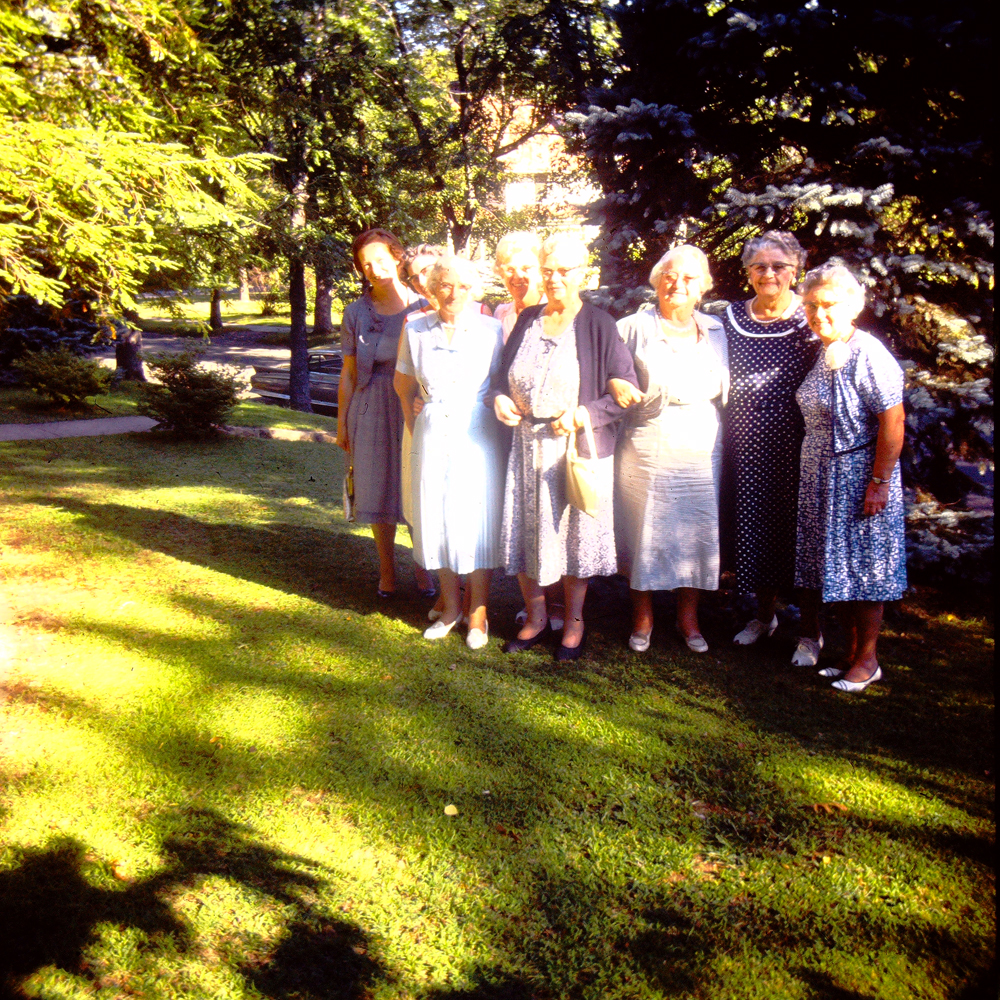
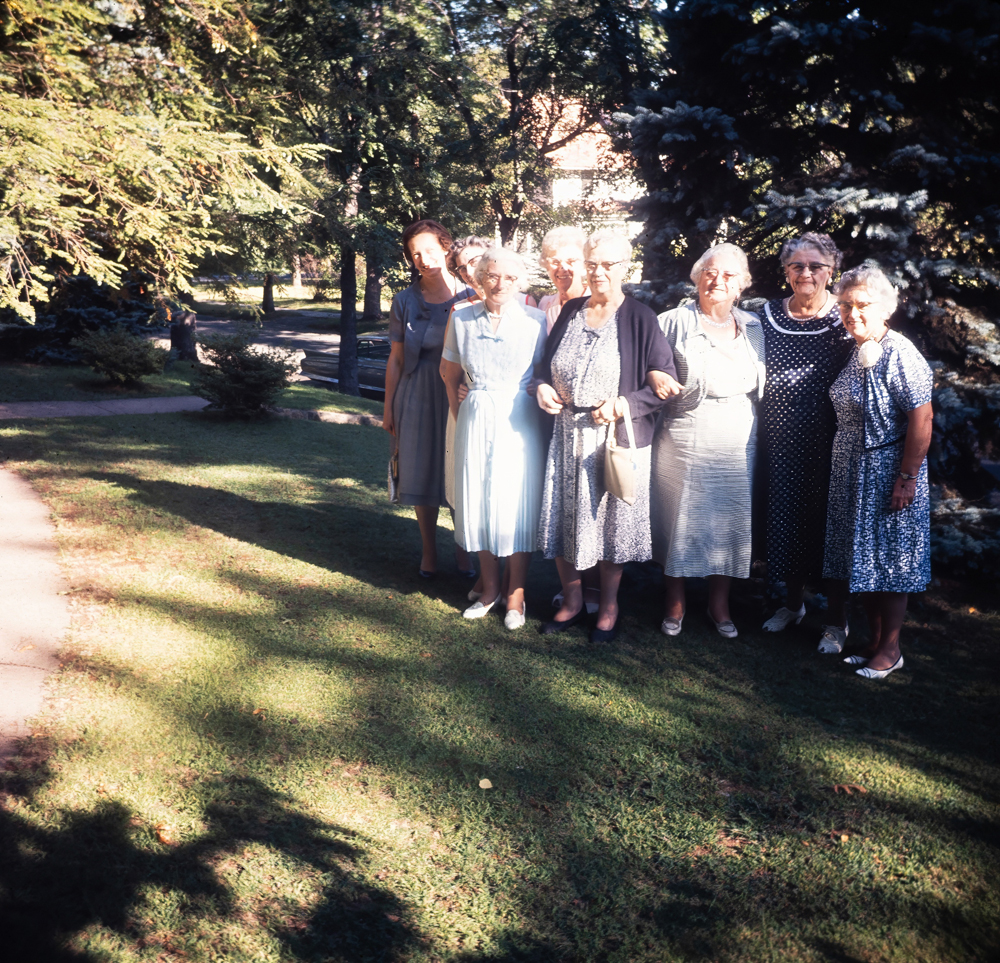
It looks like the Wolverine Converter picked up more picture to the side of Llewellyn on the right but in the Ancestry version, a path is visible. Ancestry’s enhancement has helped the focus and coloring of the image, while the Wolverine version is a bit over saturated. This is the first time I’m realizing that Llewellyn’s Aunt Agnes and Aunt Belle are in this picture. I labeled these August of 1962. In 1962 they would have been the last two surviving Love siblings. Their brother Percy died in 1961 and Llewellyn’s mother in 1960. That makes me wonder if these are cousins in the picture with them. There is another picture of this same group, but the Wolverine and Ancestry ones were pretty identical except for coloring.
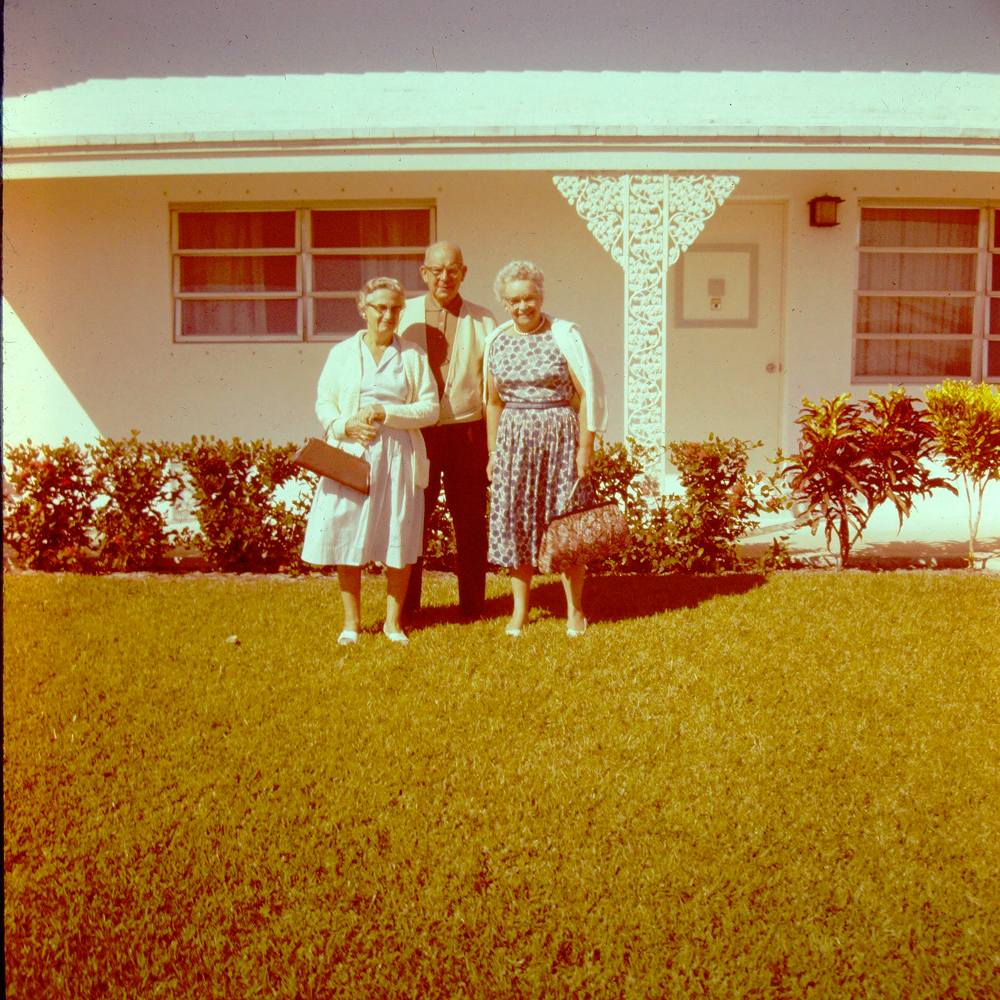
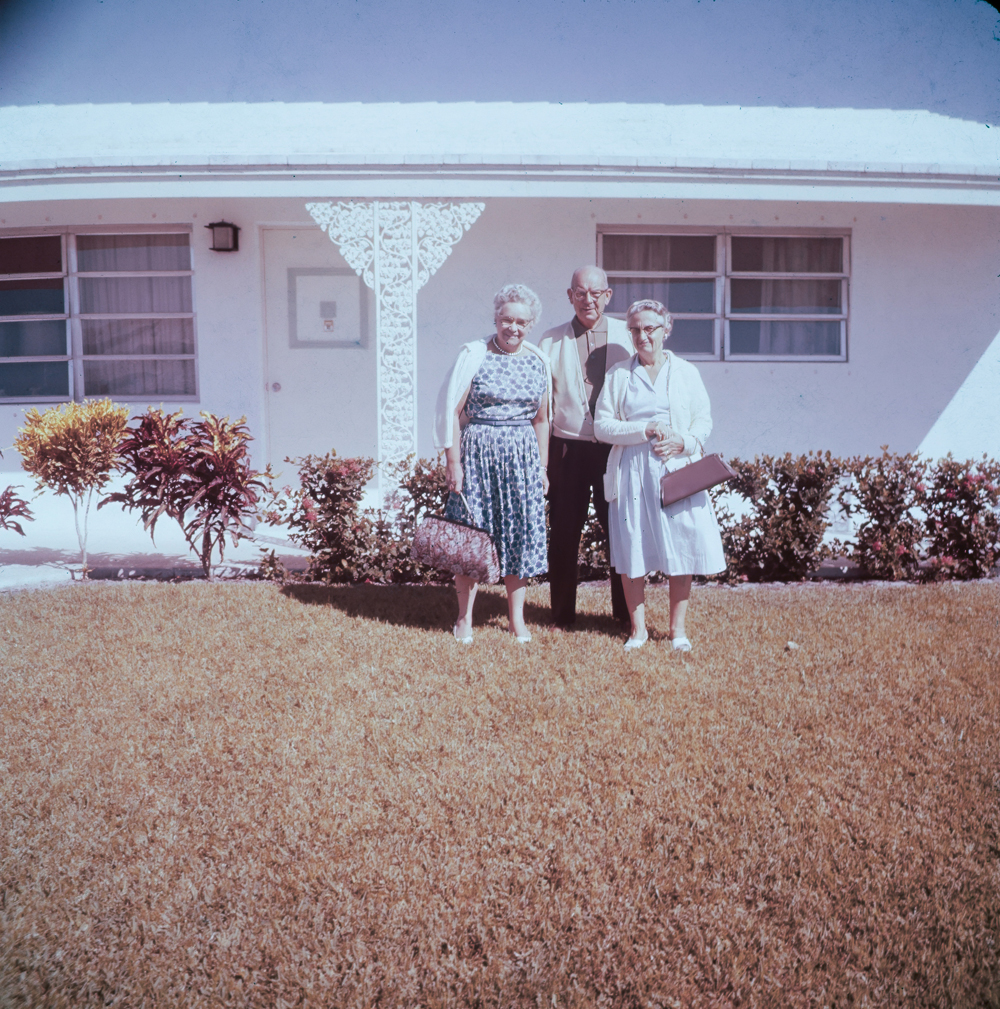
Ancestry also was very consistent in remembering to flip the images. I was not consistent at all. 😂 In fact, 80% of the time, I completely forgot unless my Dad went to look at the photos and told me his Grandma’s couch was on the wrong side of the picture. Oops. Also, here was another great example of the colorizing of the photos. I had not edited the photo at all except to size it down from 4000px. So that is raw, straight from the converter. I probably could have figured out how to colorize it eventually, and maybe I will, but its not high on my priority list of things to get done right now.
How They Got Sent Back
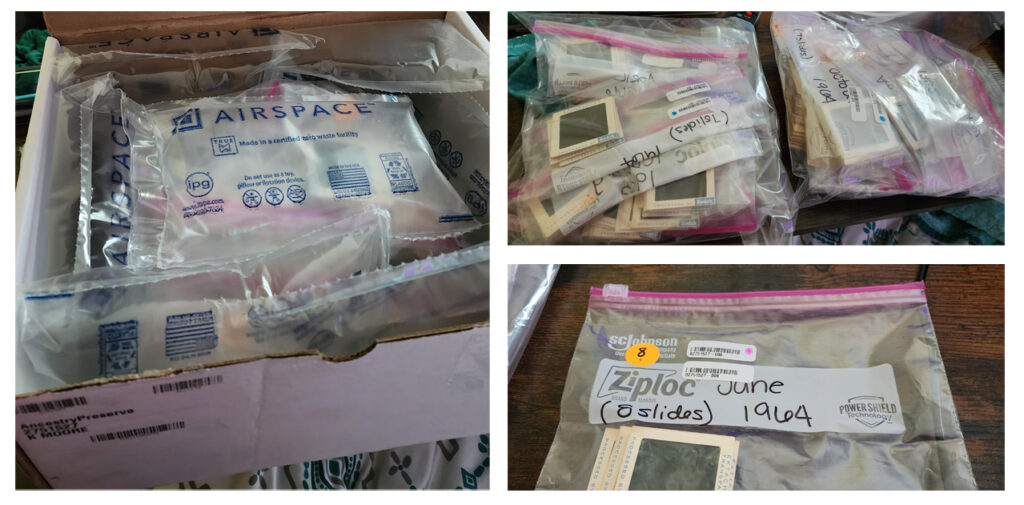
This is what I saw when I opened the box! It had a number above my name on the outside of the box. That number matched the little barcode stickers on each ziploc bag. There was also a little orange sticker on each bag with the number of items in each bag that matched the count I wrote on each bag. There were two exceptions. On one bag, I had 18 slides written on the bag, and their sticker said 13. When I checked that album against the slides, all 18 are there. The second exception, the bag and sticker both said 27 slides but the album on Ancestry says 28 pictures. Once I checked, it looks like they scanned one slide twice.
I’m not sure what happened in those instances, just being transparent! In both instances, the error was not in detriment to the process at all on my side. In fact, by my math, I might owe Ancestry Preserve about $3.84 for the six extra scans I got. 😂
Overall Opinion
I loved the experience if I’m honest. It was nerve wracking for me to send my slides away. However, last year, we had our painting of Lewis Thorward professionally framed behind museum glass. So I had to let go of that for a couple weeks as well. The added security of being able to send an AirTag with it is awesome. I didn’t have one to use and since we have been having a lot of family issues popping up, I never made it as far as purchasing one to use. If I had one, I would have probably used it just for added reassurance.
The quality of the digitization and the ease of already having them added to my Ancestry Gallery is great. I’m happy with the overall process as well. On both the website and the Ancestry app, I had very easy access to where I was in the process and when they estimated the next step to take place. Overall, the process took me about a month to complete. A month and a half if you include from when I actually purchased the initial kit. It took me a couple weeks to sort through the slides and actually send them off.
Would I Do It Again?
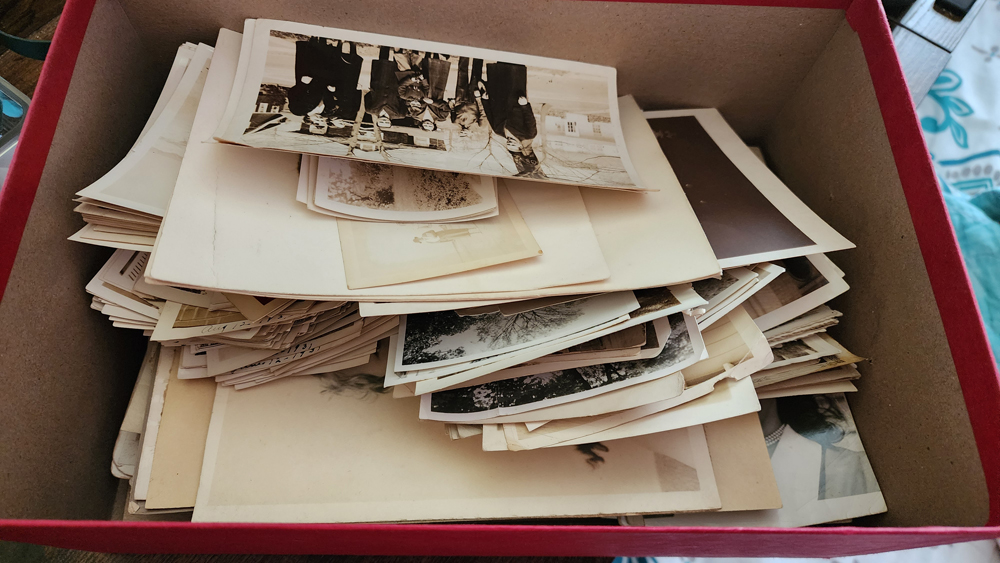
Yep, in fact, I’m thinking the next project will be sorting through the big box of pictures Llewellyn passed down… It’s going to take a bit to sort through those though.