I’m back after losing the internet for almost half of October! We ditched our old internet provider and boy should we have done that sooner. I am still trying to find my footing on where my research stands. There was a lot of things in progress before all that happened. 🤣 One of those things is my DNA Mega Sheet!
I had a form of this back in 2019 but now I’m updating it and expanding it. You might ask why I need a Mega Sheet. Well, I’m glad you asked. I let my Ancestry membership lapse and lost a lot of key information about my matches even though I still was paying for Pro Tools. I did eventually renew my membership but I didn’t like the idea that the information could be here today, gone tomorrow. Especially since I had such unreliable internet. I want to be able to work offline. When you lose internet for half a month, you realize how much EVERYTHING requires internet.
I won’t show you the matches, but I can still show you some fun stuff!
Overview Page
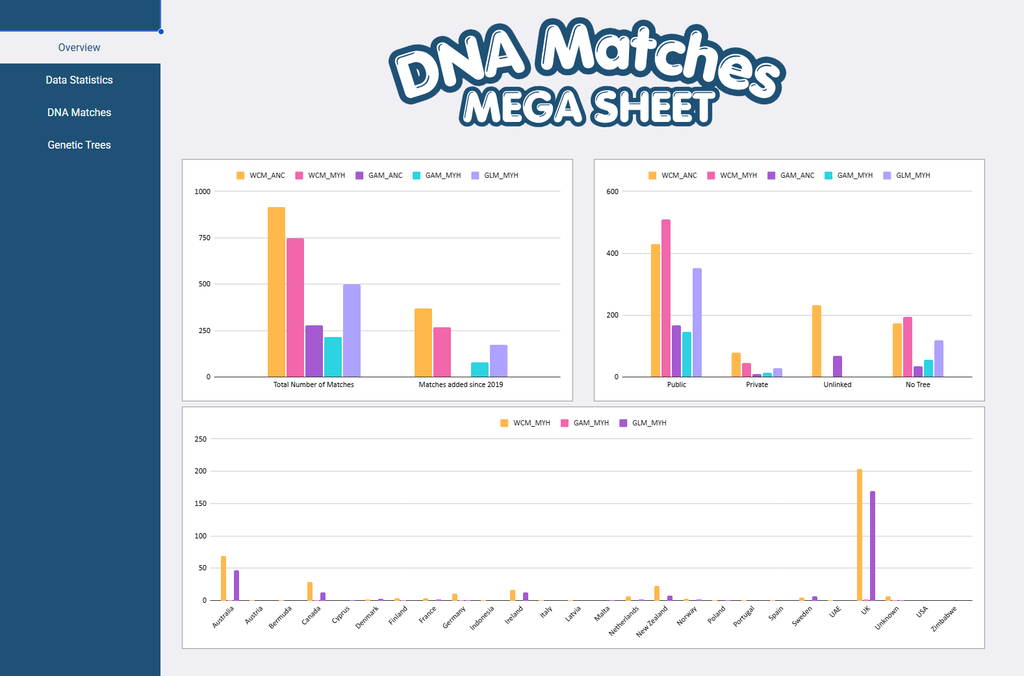
What you are looking at there is the overview page. It’s got just a couple graphs. It’s drawing its info from some of the charts inside the other tabs.
The first graph is one showing how many total matches each test has, and how many I have added to those tests since coming back to updating the sheet. I love to see visual progress, it’s really motivating to me.
The second one is showing how many matches for each test has a public, private, unlinked or no tree. We keep saying that there are a lot of people without trees and I was just curious how true that actually was. My missed opportunity was tracking how big those public trees are. Like under 10 people, 10-100 people, and above 100. Maybe i’ll go back and add it. 🥸 My goal was just to get the matches into the sheet.
The final graph on the bottom is basically just showing from what country the tests come from. I am just tracking that on MyHeritage right now because I haven’t seen an easy way of figuring that out for Ancestry tests.
Data Statistics
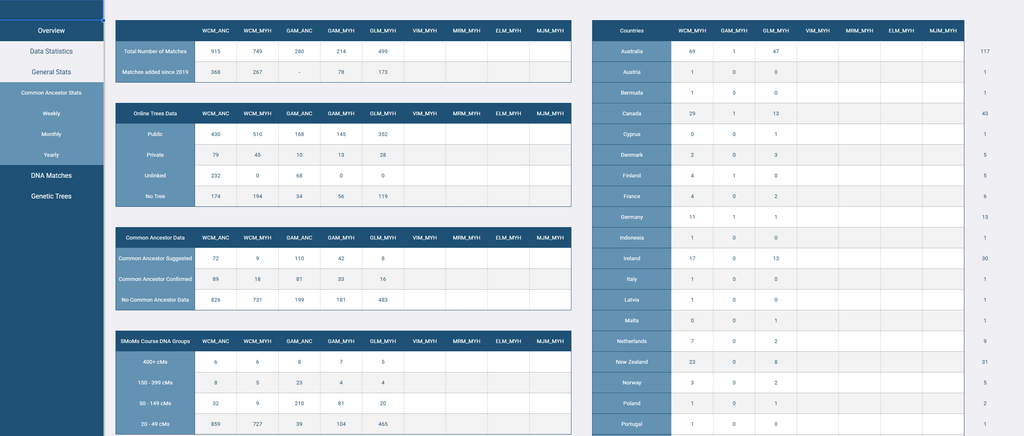
This tab is the general stats but once you open Data Statistics, you also open up more options. Inside the first tab though you can see the tables for those front page graphs. There are a few more there too.
Common Ancestor Data
This tab shows me how many of my matches have one of the Common Ancestor or Theory of Relativity hints. Not confirmed hints, just hints. I understand this data will change over time as trees change, so I’m not going nuts to be 100% accurate. When I mark them as having this on the match data tabs, I also note down which ancestor they are suspected to have in common. If I don’t recognize the ancestor, I just put Unknown Moore or Unknown Taylor.
SMoMs Course DNA Groups
So I love the SMoMs course by Your DNA Guide, can’t say enough positives about it. I added this to count my ranges for my dna matches because I was just curious how many of each group each test had.
Maternal/Paternal
Pretty self-explanatory, this only counts only after I have identified a common ancestor. There is a column on the match pages for Grandparent Group. Once that is filled out, it gets a count here.
Gedmatch Data
Just seeing if they have a gedmatch listing. I haven’t dug into my gedmatch account in probably a decade at this point. Once I do though, this might help me out.
Common Ancestor Stats
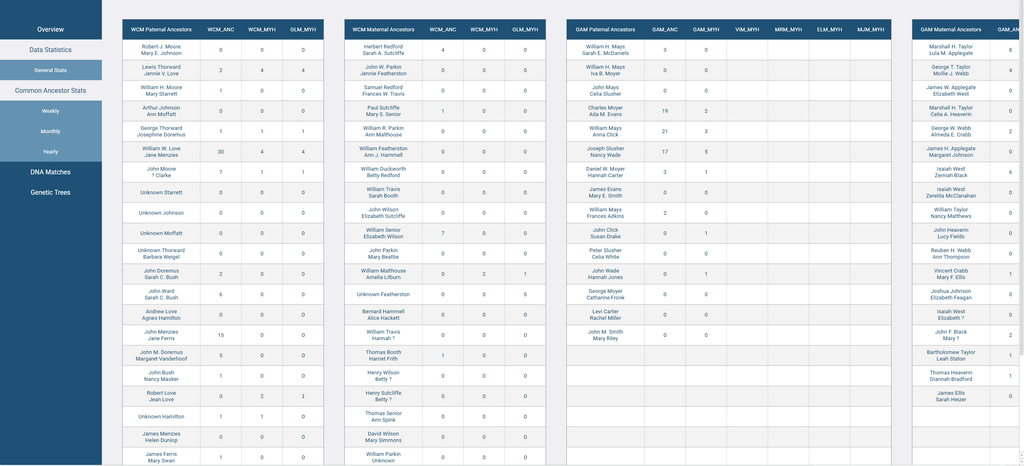
The common ancestor tab checks the match tab for how many times each ancestral couple appears. I am really curious to see which of them has the most and it will probably be William Mays and Anna Click. 🤣 Honestly though, the Love cousins are running a pretty good game there. I haven’t really been able to identify a ton of My Heritage matches yet though so I’m sure it will change on all the tests.
Monthy
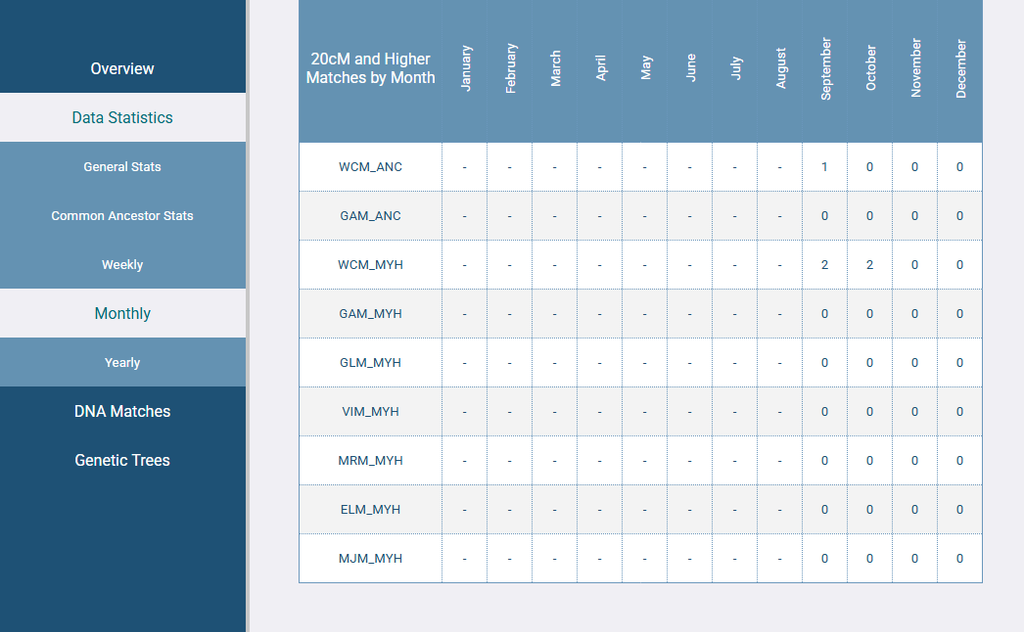
I’m going to have to make a not on this one that my October and November numbers will be skewed by the lack of internet. 😂
Match Pages
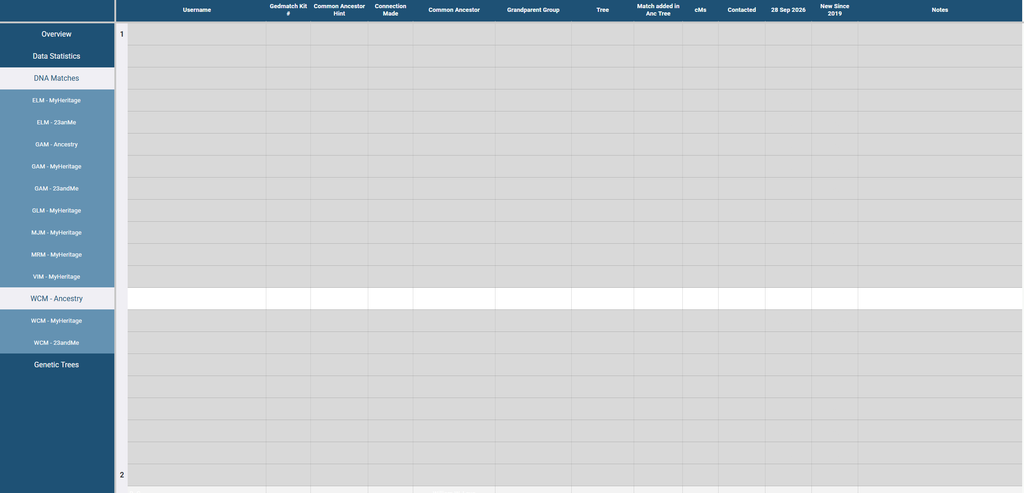
On my Ancestry matches page, I don’t track as much as before because Ancestry has made it hard to get more specific details without clicking through a bunch of screens. I don’t mind doing that if I’m working on something specific. I am making these sheets manually though, so I am just putting what is visible on the main match list, then I will go in and add more specific information once the list is updated. I keep the “page numbers” in that left column to be able to see a visual representation where a page ended and began at the last update. This way I can see a change when it happens. These match pages are where all the tables get their information from.
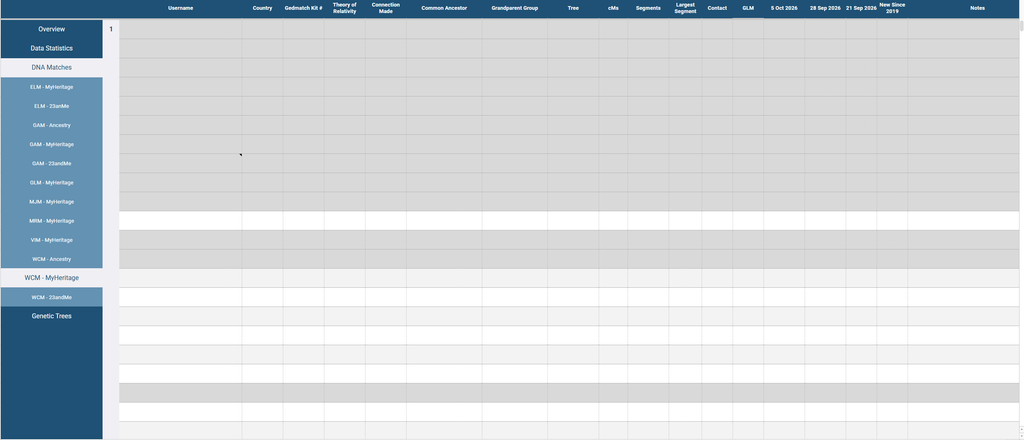
The MyHeritage match list page shows a lot more information on their match page, so I’m showing here what I am tracking. The GLM column is my father’s sister. The column reads her match page and sees if there is a matching match name. The date columns were how I was checking how many matches a week. However, I’m really thinking it’s going to be a once a month update situation. I lost a lot of momentum when the internet went out. 🤣
Genetic Trees
This one gives you a sneak peak at the blog post I’m currently working on for the Moore research I’ve been up to lately.
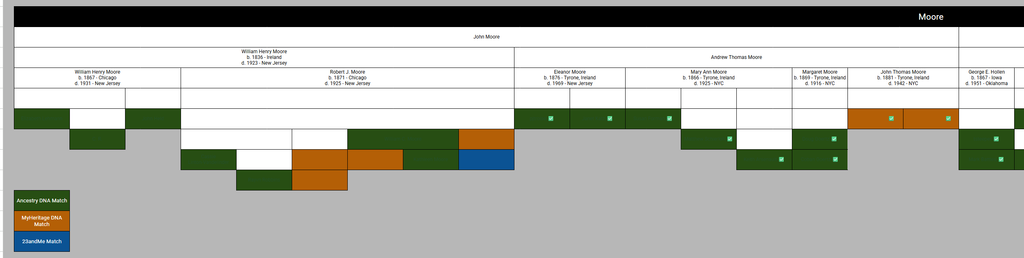
I’ve been organizing my DNA matches into these tentative “genetic trees” on a google sheet. I want to bring them over to my Mega Sheet, but as you can see, it’s a bit of a s i t u a t i o n. 😂I probably will need to break up some of these groups, but how do you do that and still see what level people are on with each other. No idea yet. I was working on that… when the internet went out. 🤣
Well there ya go, that’s what I’ve been up to! Now back to figuring out where I left off when the internet went out on 908247230492 projects. 😂